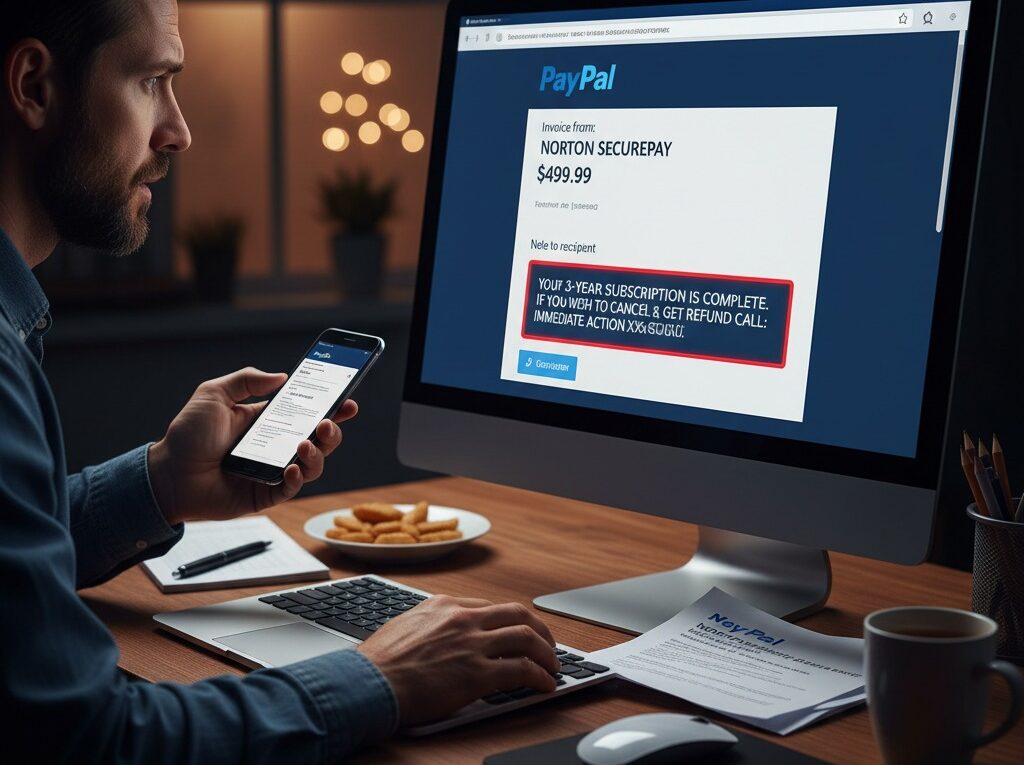
PayPal Invoice Attack – What Users Need To Know
You open your email and see a new notification from PayPal. It’s an invoice for $499.99 for an antivirus subscription you never purchased. Your heart sinks—has your account been hacked?
This panic is exactly what scammers are counting on. You’re likely the target of the PayPal Invoice Attack, a clever and increasingly common scam that uses PayPal’s own legitimate system to trick you.
Because the invoice and the email notification come directly from PayPal, it bypasses spam filters and looks completely authentic. But it’s a trap. Here’s what you need to know to stay safe.
What is the PayPal Invoice Attack?
The PayPal Invoice Attack is a phishing scam where attackers send you a real invoice or money request through PayPal’s platform. The invoice is for a product or service you never ordered, often for a large amount to cause immediate panic.
The true scam, however, isn’t the invoice itself. It’s the “Note” section.
In the notes, the scammer includes a message pretending to be from PayPal or the vendor (e.g., “Norton,” “Geek Squad,” “Coinbase”). This note claims the charge is real and provides a fake phone number to call immediately if you “did not authorize this transaction” or “wish to claim a refund.”
How the PayPal Invoice Scam Works
Understanding the scammer’s playbook is the best way to avoid falling for it.
- The Bait: The scammer, using a legitimate (often newly created or stolen) PayPal account, sends you an official invoice or money request.
- The Panic: You receive a real email from service@paypal.com showing the invoice. You log in to PayPal and see the pending invoice in your dashboard, making the threat feel real.
- The Hook: You read the “Notes” on the invoice, which say something like:
- “This charge will be auto-debited from your account within 24 hours. For disputes, call our fraud department at 1-800-XXX-XXXX.”
- “Your 3-year subscription is complete. For a full refund, contact our billing team at +1 (888) XXX-XXXX.”
- The Call: You panic and call the fake support number. You are now talking directly to the scammer, who is posing as a PayPal or “Fraud Prevention” agent.
- The “Fix”: The scammer “confirms” the fraudulent charge. To “fix” it, they will ask you to do one of two things:
- Grant Remote Access: They’ll instruct you to download remote access software (like AnyDesk, TeamViewer, or LogMeIn) so they can “secure your account” or “process the refund.”
- Log In to Your Bank: They’ll walk you through a fake refund process where they trick you into logging into your actual bank account.
- The Theft: Once they have remote access to your computer or can see your bank screen, they can instantly transfer money out of your accounts, steal your passwords, or install malware.
Red Flags: How to Spot the Scam
- A Phone Number in the Notes: This is the #1 red flag. PayPal never puts official support numbers in an invoice’s note section. Always use the contact numbers found on the official PayPal website.
- An Unrecognized Invoice: You receive an invoice for a product (like cryptocurrency, an NFT, or an antivirus subscription) or from a sender you don’t know.
- A Sense of Urgency: The note uses language like “immediate action required,” “auto-debit,” or “call within 24 hours” to rush you into making a mistake.
- Generic Greetings: The email or note may use “Dear User” or “Valued Customer” instead of your real name (though scammers are getting better at personalization).
- Poor Grammar/Spelling: Look for odd phrasing or spelling mistakes in the note section.
What to Do If You Receive a Fake PayPal Invoice
If you get one of these, follow these steps.
- DO NOT PANIC. You have not been charged. An invoice is just a request for money, not an automatic payment.
- DO NOT call the phone number in the invoice notes. This is the scam.
- DO NOT pay the invoice.
- Log in to PayPal Directly: Do not click any links in the email. Open a new browser tab and type paypal.com yourself, or use the official PayPal mobile app.
- Cancel and Report the Invoice:
- Go to your “Activity” feed or dashboard.
- Find the fraudulent invoice or money request.
- Click on it. You should see an option to “Cancel” the invoice. Click it.
- After canceling, look for an option to “Report this invoice” or “Report this as spam.” This will alert PayPal to the scammer’s account.
That’s it. Once canceled and reported, the threat is gone.
How to Protect Yourself Before an Attack
- Enable Two-Factor Authentication (2FA): This is the single best thing you can do to protect your account. Even if a scammer gets your password, they won’t be able to log in without the second-factor code from your phone.
- Trust Your Dashboard, Not a Note: Your PayPal dashboard is the source of truth. Invoices are just requests. Your balance and completed transactions show what money has actually moved.
- Never Give Remote Access: No legitimate support agent from PayPal, your bank, or a software company will ever ask for remote access to your computer to process a refund.
- Use Official Contact Channels: If you’re ever in doubt, go to the company’s official website and find their “Contact Us” or “Help” page. Never use a phone number from an email or invoice.
Final Verdict
The PayPal Invoice Attack is a dangerous scam that relies on panic. The invoice itself can’t harm you or take your money automatically. The real danger is the fake support number in the invoice notes.
If you avoid calling that number, you are safe. If you did call it and gave access, you must follow the 5-step emergency procedure immediately (Disconnect, Call Bank, Change Passwords, Scan, Report) to protect your finances and identity.
Frequently Asked Questions (FAQ)
Will PayPal charge me automatically if I ignore a fake invoice?
No. An invoice is a request for payment. It is not an automatic debit or a pending charge. You cannot be charged unless you actively click “Pay.”
But the email came from service@paypal.com. How can it be a scam?
The notification is real because the scammer really used PayPal’s system to send you an invoice. The email from PayPal is just telling you, “Hey, someone sent you an invoice.” PayPal doesn’t know the content of the invoice note is a scam.
I already called the number and gave them access! What do I do?
- Disconnect: Immediately shut down your computer to sever the remote connection.
- Call Your Bank: Use the official number on the back of your bank card. Tell them you’ve been scammed, and they will help secure your accounts and monitor for fraud.
- Change Passwords: From a different, safe computer (like your phone), change your passwords for your PayPal account, your bank, and your email.
- Scan Your Computer: Once you can safely restart, run a full antivirus and malware scan.
- Report It: Report the incident to PayPal’s official fraud department and your local authorities.
