Typosquatting

 Click to Zoom
You are typing fast. You want to check your social feed, so you type faceboook.com into your browser, adding an extra ‘o’ by mistake. Instead of an error message, a page loads. It looks exactly like the login screen you expect. You enter your username and password, but nothing happens. By the time you realize the URL was wrong, your credentials are already in the hands of a cybercriminal.
Click to Zoom
You are typing fast. You want to check your social feed, so you type faceboook.com into your browser, adding an extra ‘o’ by mistake. Instead of an error message, a page loads. It looks exactly like the login screen you expect. You enter your username and password, but nothing happens. By the time you realize the URL was wrong, your credentials are already in the hands of a cybercriminal.
This is typosquatting. It is one of the oldest yet most effective social engineering tricks on the internet.
While phishing emails require you to click a link, typosquatting waits for you to make a simple mistake. It relies on physical errors (fat fingers), visual errors (misreading), and cognitive errors (misremembering).
What Is Typosquatting?
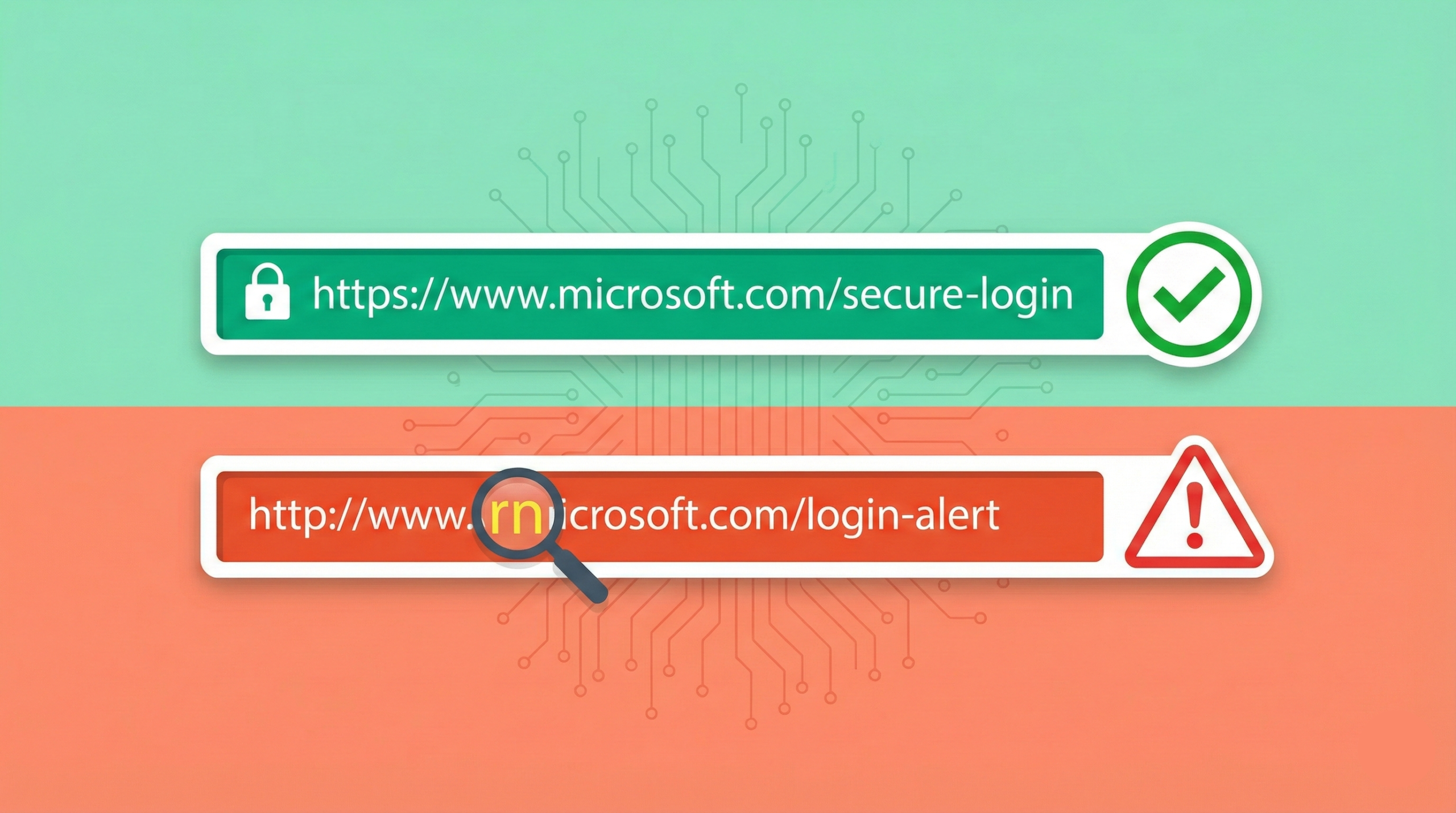
Typosquatting, also known as URL hijacking or sting sites, is a form of cybersquatting where hackers register domains that are deliberately misspelled versions of popular websites.
The goal is to entrap users who incorrectly type a web address into their browser. Once the user lands on the fake site, the owner may attempt to sell them products, install malware, or steal sensitive information.
For example, if the target site is example.com, a typosquatter might register:
- exampl.com (Omission)
- exampel.com (Transposition)
- examples.com (Pluralization)
- example.co (Wrong Top-Level Domain)
How Typosquatting Works
The mechanics are simple but rely on high-volume probability. Cybercriminals use algorithms to generate thousands of potential misspellings for high-traffic websites like Google, Facebook, Amazon, and major banks.
They verify which domains are available and register them. Because domain registration is automated and cheap, a squatter can control hundreds of trap domains for a minimal investment.
Once the domain is live, they clone the look and feel of the official brand. They copy the logo, the CSS styling, and the font. To the casual observer, the site looks legitimate.
Why Hackers Do It
There are four primary ways criminals monetize these spelling errors.
1. Phishing and Credential Harvesting
This is the most dangerous category. The site presents a fake login form. When the user attempts to sign in, the script captures the username and password before redirecting the user to the actual site to avoid suspicion.
2. Ad Revenue and Parking
Not all typosquatters are stealing passwords. Some simply want your eyes. They set up a “parking page” filled with ads. Every time a user lands on the misspelled domain, the squatter earns ad revenue. This is common with generic terms or lower-traffic brand names.
3. Malware Installation
The site may host a drive-by download or a fake “system update” pop-up. The moment the page loads, it attempts to infect the user’s device with spyware, ransomware, or keyloggers.
4. Bait and Switch
This tactic is used by unethical competitors. If you mistype the URL of a popular shoe store, the typosquatted domain might redirect you to a rival shoe store. The user, confused but indifferent, may end up buying from the competitor instead.
Typosquatting vs. Cybersquatting vs. Combosquatting
While these terms are often used interchangeably, they represent different strategies.
| Feature | Typosquatting | Cybersquatting | Combosquatting |
| Method | Relies on spelling errors. | Stealing a brand name exactly. | Combining brand + keyword. |
| Example | goggle.com | facebook.net (if unauthorized) | facebook-login.com |
| User Intent | Accidental entry. | Confused by domain extension. | Tricked by a phishing link. |
| Targeting | Direct navigation traffic. | Brand reputation. | Email and SMS phishing. |
Combosquatting is becoming more prevalent than typosquatting. This involves adding words like security, login, verify, or support to the brand name (e.g., paypal-secure-login.com). While typosquatting targets people typing in the address bar, combosquatting targets people clicking links in emails.
Common Types of Typosquatting Variations
Hackers are creative in how they anticipate human error. Here are the specific methods used to trap users.
1. The Typo
This is the most common form. It assumes the user types too fast.
- Target: twitter.com
- Trap: twtter.com (Skipping a letter)
2. The Transposition
This relies on swapping two adjacent letters.
- Target: apple.com
- Trap: alppe.com
3. The Homoglyph
This is difficult to spot. Hackers use characters from different alphabets that look identical to standard Latin letters. This is often called an IDN Homograph Attack.

- Target: bankofamerica.com
- Trap: bаnkofamerica.com (The ‘a’ is a Cyrillic character).
To the naked eye, they are identical. To a computer, they are completely different servers.
4. The TLD Switch
Users often assume every major site ends in .com. Squatters exploit this by registering the .co, .net, or .org versions.
- Target: craigslist.org
- Trap: craigslist.com
5. The Combo (Hyphenation)
Adding or removing a hyphen to change the destination.
- Target: wal-mart.com
- Trap: walmart.com (or vice versa)
Real World Impact: The Google Case
One of the most famous examples of typosquatting involved goggle.com. For years, typing this misspelling of Google resulted in a variety of outcomes depending on who owned the domain at the time.
At one point, it redirected to a survey scam. Later, it attempted to install fake antivirus software. Today, Google owns the domain and it simply redirects to google.com.
This highlights the primary defense strategy for major corporations: Defensive Registration. Companies like Facebook, Google, and Amazon spend millions annually buying thousands of misspelled versions of their own domains just to prevent hackers from using them.
Prevention for Business Owners
If you own a business, you cannot stop users from making typos. However, you can mitigate the damage.
1. Register Common Misspellings
Identify the top 5 or 10 most likely typos for your domain and register them. Redirect these domains to your main website.
2. SSL Certificates
Ensure your legitimate site has a valid SSL certificate (HTTPS). Educate your users to look for the padlock icon. While hackers can get SSL certificates too, the absence of one on a major site is a red flag.
3. Monitor Your Brand
Use domain monitoring tools that alert you when someone registers a domain similar to yours. If a typosquatter registers a domain that infringes on your trademark, you can file a dispute with ICANN under the Uniform Domain-Name Dispute-Resolution Policy (UDRP) to take control of the domain.
Prevention for Users
How do you stay safe when a single keystroke can compromise your security?
1. Use Bookmarks
Never manually type the URL for sensitive sites like banking, email, or cryptocurrency exchanges. Bookmark the correct page and use that link every time.
2. Safe Search
Instead of typing the URL into the address bar, type the name of the site into a search engine . Search engines filter out known malicious sites and usually place the official site at the top of the results.
3. Check the Extension
Be wary if a popular site unexpectedly uses a .net, .biz, or .info extension when you usually visit the .com version.
4. Look for Homoglyphs
If a link looks suspicious, copy and paste it into a plain text editor. Sometimes the hidden characters will reveal themselves as strange symbols or different fonts.
Summary
Typosquatting is a numbers game. Hackers know that out of millions of internet users, a small percentage will inevitably mistype a URL every day.
While browsers and search engines are getting better at warning users about deceptive sites, the responsibility ultimately falls on the user to verify where they are logging in. A momentary lapse in attention, missing a dot or hitting a key twice, can result in identity theft.
FAQs
Is typosquatting illegal?
It depends on the intent. If a domain is registered simply to monetize generic traffic (like shoes.com vs shoe.com), it is generally legal. However, if the domain uses a trademarked name to deceive users, spread malware, or conduct phishing, it violates the UDRP and is considered cybersquatting, which can lead to legal action.
What is the difference between phishing and typosquatting?
Typosquatting is the method of getting a user to a fake site (via a typing error). Phishing is the act of tricking a user into revealing information. A typosquatting site is often used to conduct a phishing attack.
Can antivirus software stop typosquatting?
Yes and no. Antivirus software cannot stop you from typing the wrong URL. However, good security software will analyze the page you land on. If the typosquatted site contains known malware or is on a blacklist of phishing sites, the software should block the page from loading.
Subscribe for alerts on new scams and real opportunities.
Have you been scammed?
If you have lost money or suspect a website is fake, report it to us immediately to warn others.
REPORT A SCAM NOW