
Coinbase Review 2026: Is It Still the Best Place to Buy Crypto?

 Click to Zoom
Entering the crypto market in 2026 requires more than just picking a coin; you need a partner you can trust. The “wild west” days of crypto are fading, and today’s investors demand safety above all else. That is exactly where Coinbase has staked its reputation. As the most regulated and transparent exchange in the United States, it has become the default “on-ramp” for millions of people looking to turn their cash into Bitcoin.
Click to Zoom
Entering the crypto market in 2026 requires more than just picking a coin; you need a partner you can trust. The “wild west” days of crypto are fading, and today’s investors demand safety above all else. That is exactly where Coinbase has staked its reputation. As the most regulated and transparent exchange in the United States, it has become the default “on-ramp” for millions of people looking to turn their cash into Bitcoin.
But does “safest” always mean “best”? A common complaint is that Coinbase is too expensive. The truth is a bit more complicated. Most users overpay because they use the wrong interface.
In this honest review, we cut through the marketing hype. We will break down the hidden fee structures, test the new 2026 security updates (including Consensus 2FA), and compare it directly to cheaper rivals like Kraken so you can decide if the premium experience is worth your money.
What is Coinbase?
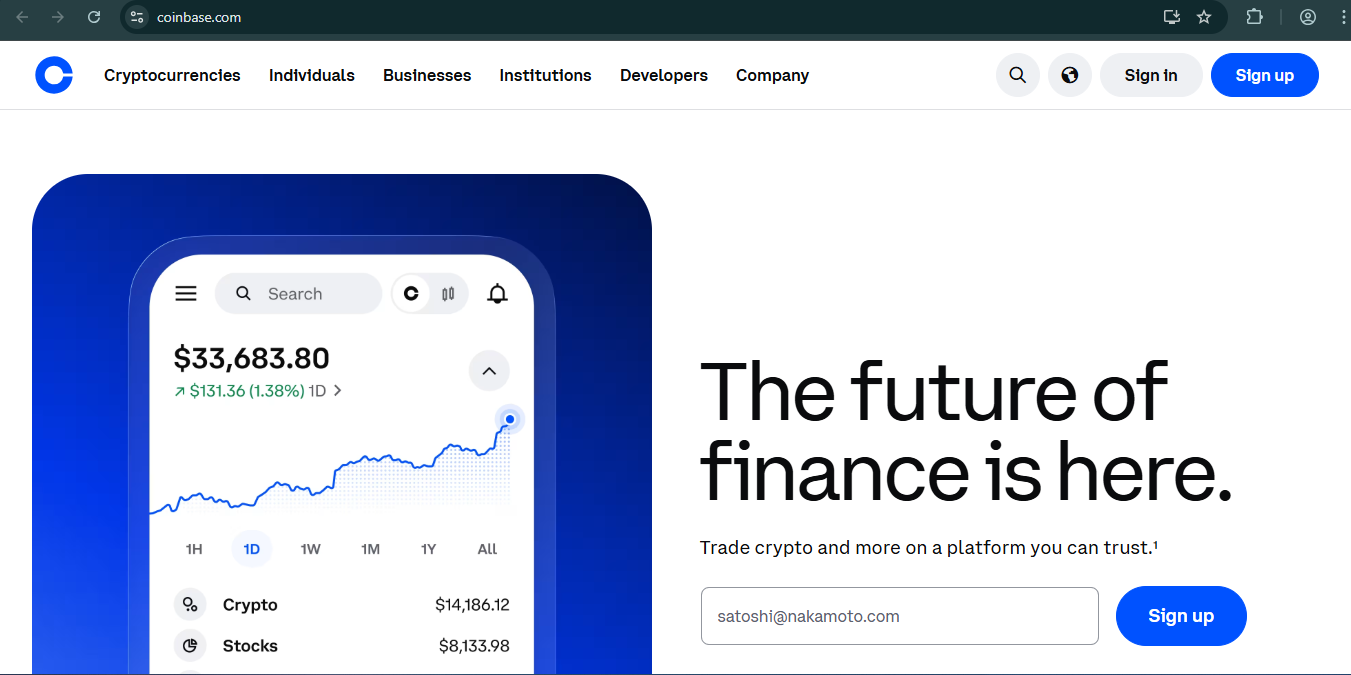
Coinbase is the largest publicly traded cryptocurrency exchange in the United States. It serves as a beginner-friendly “on-ramp” for buying digital assets like Bitcoin and Ethereum using your bank account or debit card. While it is famous for its easy-to-use app, it also offers Coinbase Advanced for lower fees and professional trading tools.
Is Coinbase Safe in 2026?
Let’s address the big question first. If you’ve been following the news, you know that security is the number one concern for anyone holding crypto.
Coinbase is widely considered one of the most secure exchanges in the industry, but no platform is invincible. Following the security incidents across the industry in 2025, Coinbase doubled down on their defenses. They aren’t just relying on passwords anymore; they have rolled out Consensus 2FA and Time-Delayed Transactions.
What does this mean for you?
- Consensus 2FA: This is a game-changer. It means you can require approval from multiple devices before a withdrawal is processed. Even if a hacker gets your password, they can’t drain your funds without your second device.
- Cold Storage: Coinbase keeps 98% of customer funds offline in cold storage (safes and vaults), meaning they can’t be hacked remotely.
- Publicly Traded: Unlike offshore exchanges, Coinbase (NASDAQ: COIN) is a public US company, meaning their financials are transparent and audited.
My Take: For 99% of users, Coinbase is safer than keeping crypto on a laptop. Just make sure you actually use the security features they provide.
Coinbase Fees, Simple vs. Advanced
This is where most beginners lose money. Coinbase has two different modes: Simple Trade and Advanced Trade. They are the exact same account, but the fees are wildly different.
1. Simple Trade
If you just click “Buy” on the main dashboard, you are using Simple Trade. It’s easy, but you pay for that convenience.
Recommended Articles
- You’ll typically pay a spread (about 0.50% markup) plus a flat fee.
- For example, buying $100 of Bitcoin might cost you nearly $3.00 – $4.00 in total fees.
2. Coinbase Advanced
Formerly known as Coinbase Pro, this is built right into the main app now. You get access to charts and order books, but the important part is the fee schedule.
- Maker/Taker model.
- For example, buying $100 of Bitcoin here costs roughly $0.40 – $0.60.
2026 Fee Schedule (Advanced Trade)
| 30-Day Volume | Taker Fee | Maker Fee |
| $0 – $10K | 0.60% | 0.40% |
| $10K – $50K | 0.40% | 0.25% |
| $50K – $100K | 0.25% | 0.15% |
| $100K+ | 0.20% | 0.10% |
Pro Tip: Always switch to “Advanced” mode in the app settings before you buy. It takes 5 seconds and saves you significantly on every trade.
How to Set Up the New Consensus 2FA
Security isn’t automatic; you have to turn it on. Here is the exact process to enable the strongest protection available on Coinbase right now:
- Log in to your Coinbase account on a desktop.
- Click your profile icon and select Settings.
- Navigate to the Security tab.
- Look for the 2-Step Verification section.
- Select “Security Key” (like a YubiKey) or “Authenticator App” (like Google Authenticator).
- Follow the prompts to scan the QR code.
- Look for the toggle to enable “Vault Time Delay” for withdrawals. This forces a 48-hour waiting period on withdrawals, giving you time to cancel if you didn’t authorize them.
Coinbase vs. The Competition
Is Coinbase still the king? Let’s compare it to its main rival, Kraken, as of early 2026.
| Feature | Coinbase | Kraken |
| Best For | Beginners | Experienced Traders |
| Fees (Lowest Tier) | 0.60% (Taker) | 0.40% (Taker) |
| User Interface | Extremely Simple | More Complex, Data-Heavy |
| Staking Rewards | Good (e.g., ETH, SOL) | Often Slightly Higher |
| Security History | Strong | Excellent |
| Customer Support | Phone & Live Chat | Live Chat & Phone |
If you want the lowest possible fees and don’t mind a complex interface, Kraken wins. If you want simplicity, reliability, and the ability to easily cash out to a US bank account, Coinbase is still the winner.
Staking on Coinbase
You don’t just have to let your crypto sit there. Coinbase allows you to “stake” certain assets to earn rewards. It’s similar to earning interest in a savings account.
Current Popular Staking APYs (Estimates):
- Ethereum (ETH): ~2% – 3%
- Solana (SOL): ~4% – 5%
- Polkadot (DOT): ~7% – 10%
- USDC: ~4% – 5% (Rewards, not staking)
Note: APYs change frequently based on network conditions. Check the app for the live rates.
Final Thoughts
Should You Use Coinbase?
Coinbase remains the “iPhone of Crypto.” It might not be the cheapest option on the market, but it just works. The user experience is unmatched, and the integration of Coinbase Advanced means you don’t have to pay high fees if you’re willing to click a few extra buttons.
Frequently Asked Questions (FAQ)
Is Coinbase free to use?
Creating an account and storing crypto is free. However, you will pay fees when you buy, sell, or convert crypto. Using “Coinbase Advanced” significantly reduces these fees.
How do I withdraw money from Coinbase to my bank account?
- Go to your USD Assets or Cash balance.
- Select Cash Out.
- Choose the amount and select your linked Bank Account (1-3 days) or Debit Card (Instant, for a fee).
- Confirm the transaction.
What is the difference between Coinbase and Coinbase Wallet?
Coinbase is a centralized exchange where they hold the keys to your crypto (like a bank). Coinbase Wallet is a separate app that is “self-custody,” meaning you hold the private keys on your phone. If you lose your phone/keys with Coinbase Wallet, Coinbase cannot help you recover your funds.
Subscribe for alerts on new scams and real opportunities.
Have you been scammed?
If you have lost money or suspect a website is fake, report it to us immediately to warn others.
REPORT A SCAM NOW