
Here’s How You Can Report MoMo Fraud in the MTN Ghana App

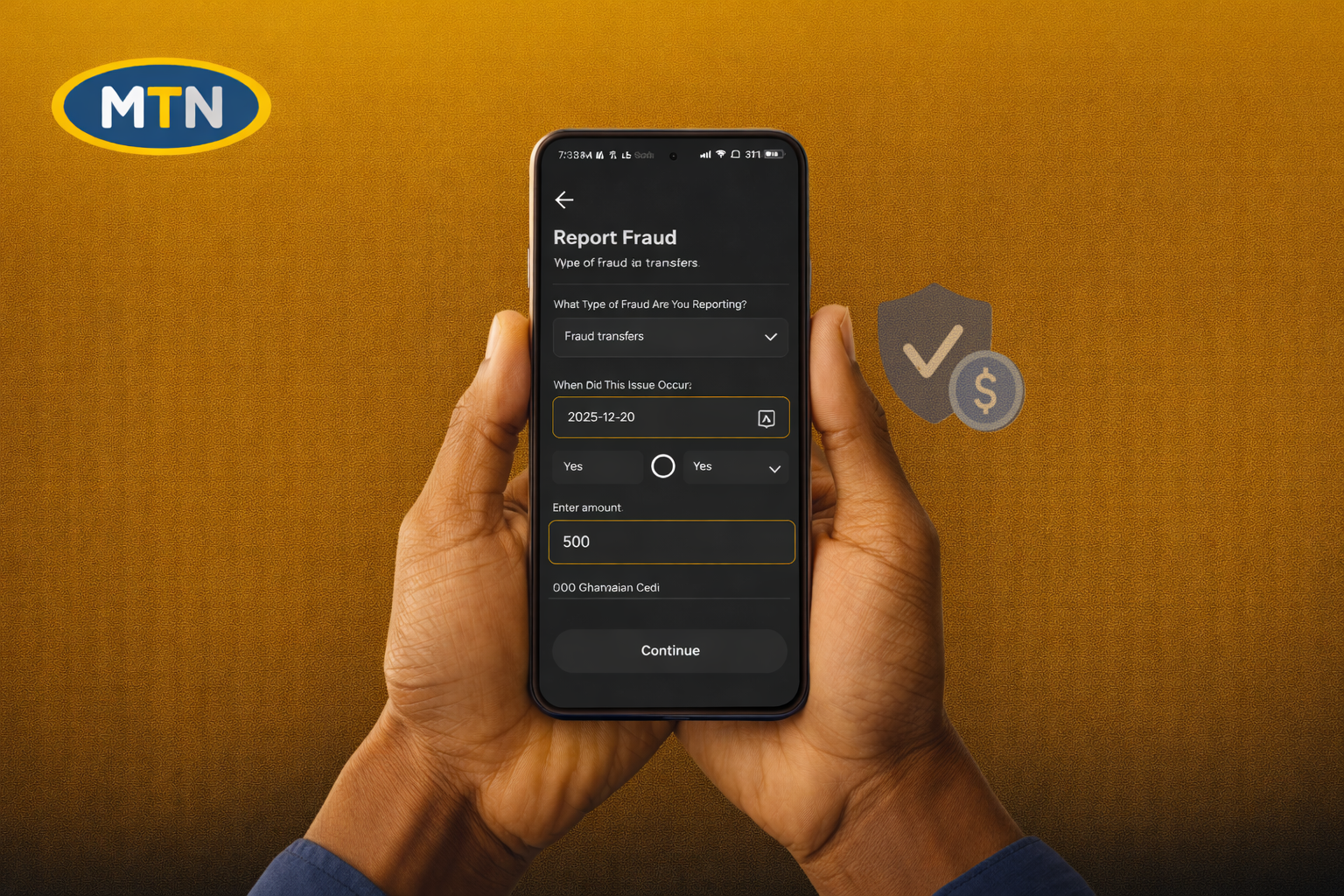 Click to Zoom
As a Scam Investigator, this is one feature I’ve personally been waiting for.
For years, MoMo fraud victims had to rely on USSD menus, calls, or physical visits to service centres. So when MTN finally added a direct MoMo fraud reporting option inside the MTN Ghana app, it was honestly a welcome move — and a good one.
Now, the honest truth.
The bad news: without a smartphone, you cannot use this feature. It is only available inside the MTN Ghana app.
The good news: reporting MoMo fraud here takes less than one minute. And even if you don’t have an active data bundle, you can still submit a report — all you need to do is turn your mobile data on.
This article walks you through the exact steps to report MoMo fraud directly in the MTN Ghana app with screenshots so you can follow along without confusion.
What You Need Before You Start
Before opening the MTN app, make sure you have the following:
- Your MTN SIM is active
- The MTN Ghana app is installed and updated
- Details of the fraud (date, amount, phone number used)
- Transaction SMS or reference number (if money was taken)
How to Report MoMo Fraud in the MTN Ghana App
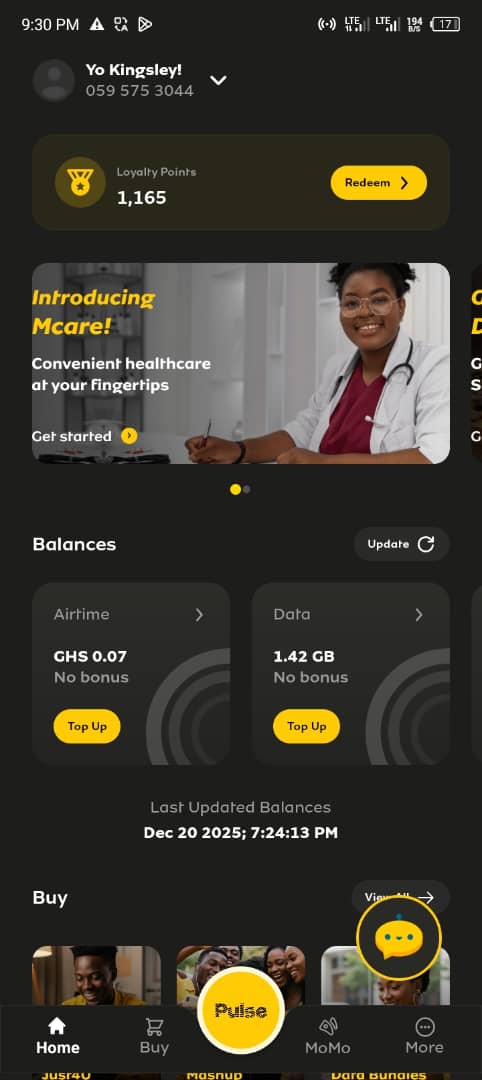
1. Open the MTN Ghana App
Launch the MTN Ghana app on your phone and wait for the home screen to fully load.
 Click to Zoom
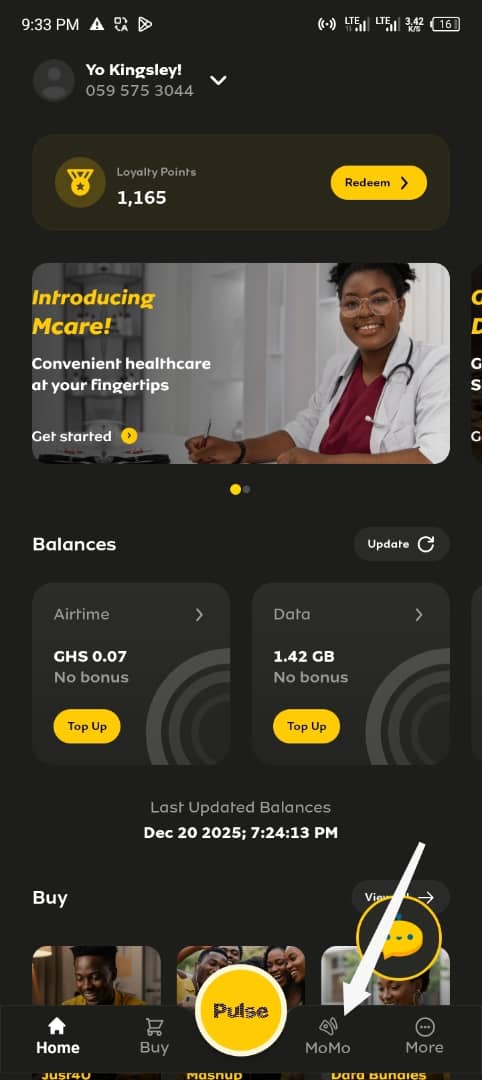
2: Tap on the MoMo Tab
At the bottom navigation bar, tap MoMo to open your Mobile Money dashboard.
Recommended Articles


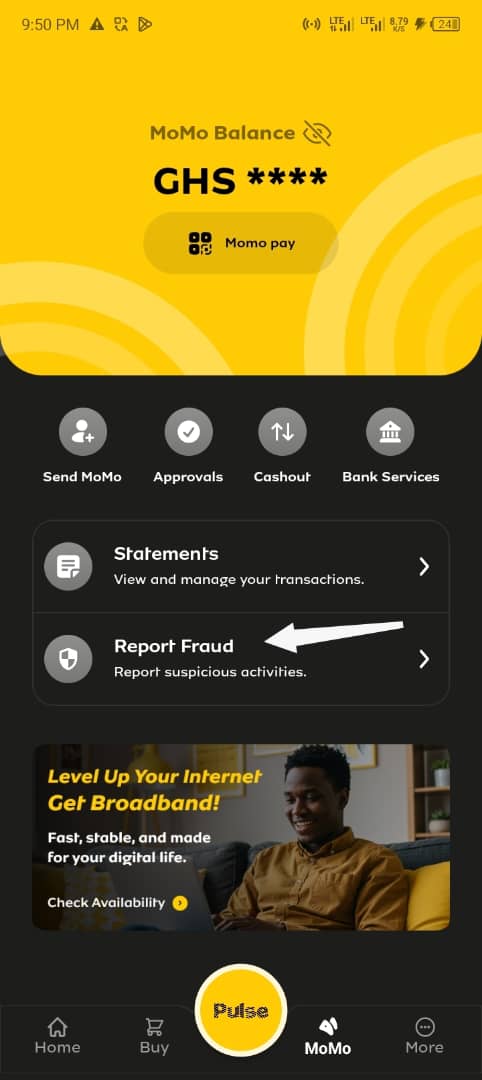
3. Select Report Fraud
On the MoMo page, scroll down until you see Report Fraud under the transactions section. Tap it.
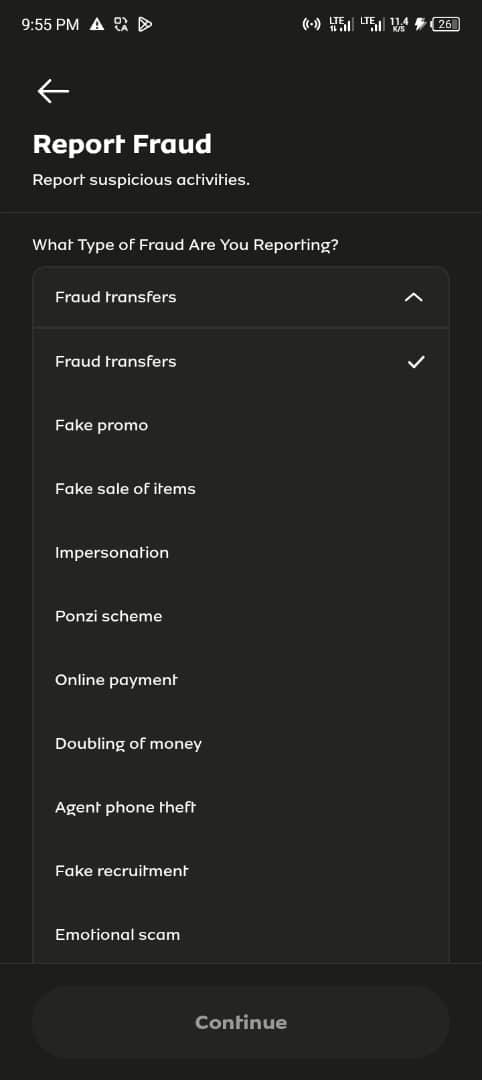
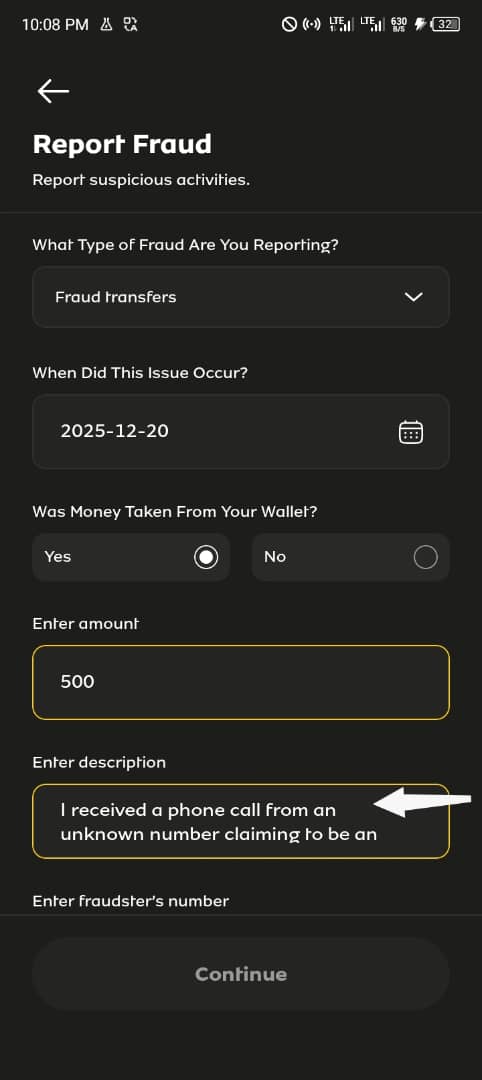
4. Choose the Type of Fraud
You will see a dropdown labelled “What Type of Fraud Are You Reporting?”
Select the option that best matches your situation. Available options include:
- Fraud transfers
- Fake promo
- Fake sale of items
- Impersonation
- Ponzi scheme
- Online payment
- Doubling of money
- Agent phone theft
- Fake recruitment
- Emotional scam
- Blackmail
- Lottery
- Blocking of accounts
- New reversal process
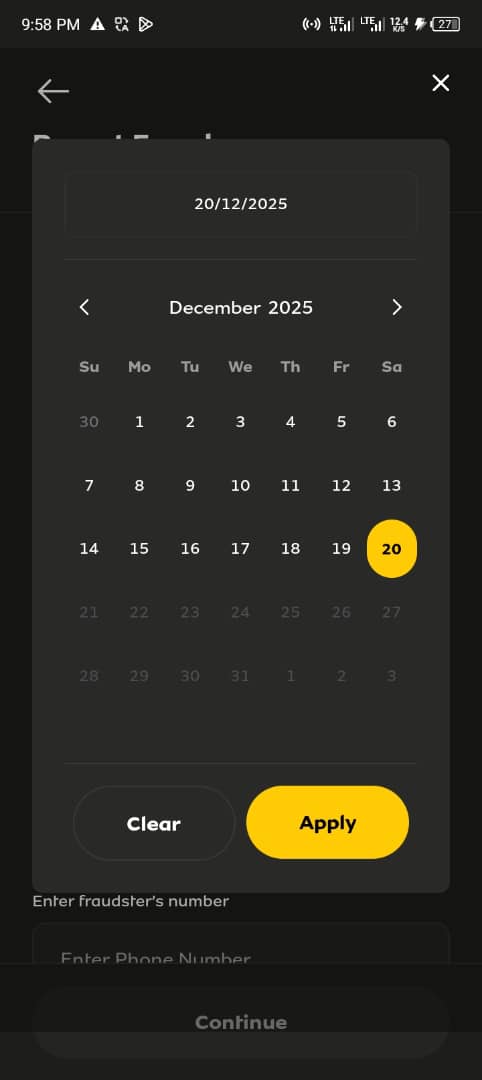
5. Select the Date the Incident Occurred
Tap Select Date and choose the exact date the fraud happened.
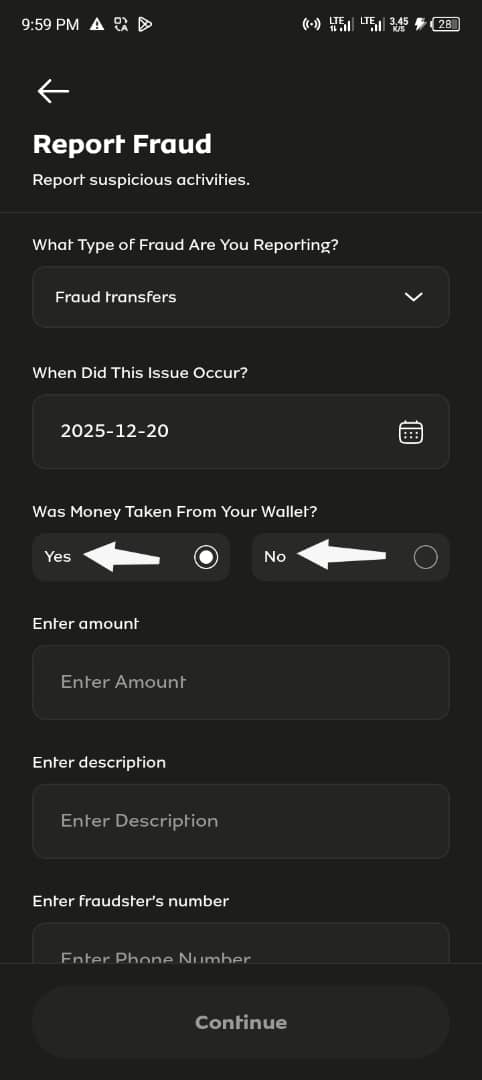
6. Indicate Whether Money Was Taken
Under “Was money taken from your wallet?”, select:
- Yes – if money was deducted
- No – if it was an attempted scam
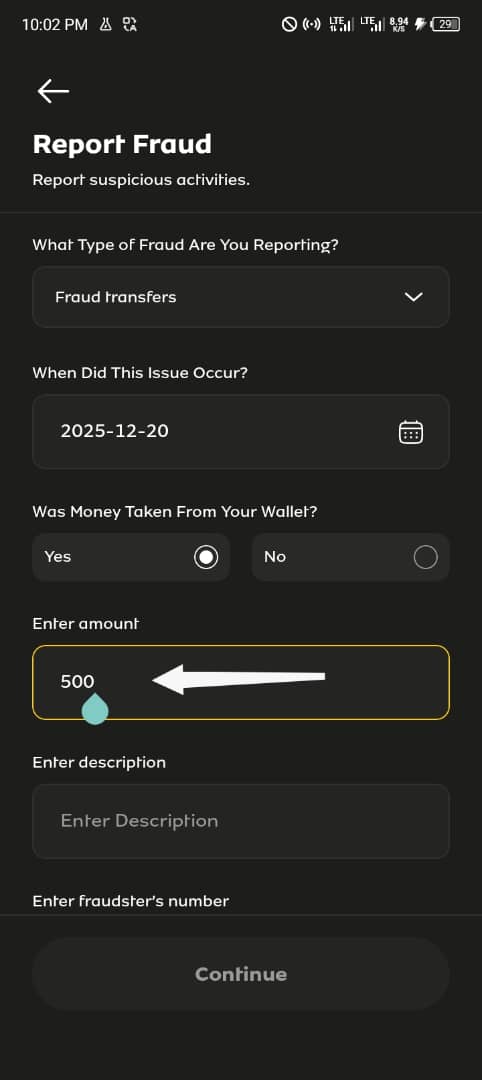
7. Enter the Amount Involved
If money was taken, enter the exact amount lost in Ghana cedis.
8. Describe What Happened
In the Description field, the app may not display your full text at once, but don’t worry — MTN will still receive the complete message you submit.
Below is an example of the exact format you can use. Users can copy this format and only change the amount and date to match their case:
I received a phone call from an unknown number claiming to be an MTN representative. I was instructed to follow certain steps on my phone under the pretext of resolving a MoMo issue. After following the instructions, an amount of GHS 500 was transferred from my MoMo wallet without my consent. I did not authorize this transaction and believe it was fraudulent.
If the text appears cut off while typing, continue anyway and submit — the full description is still captured.
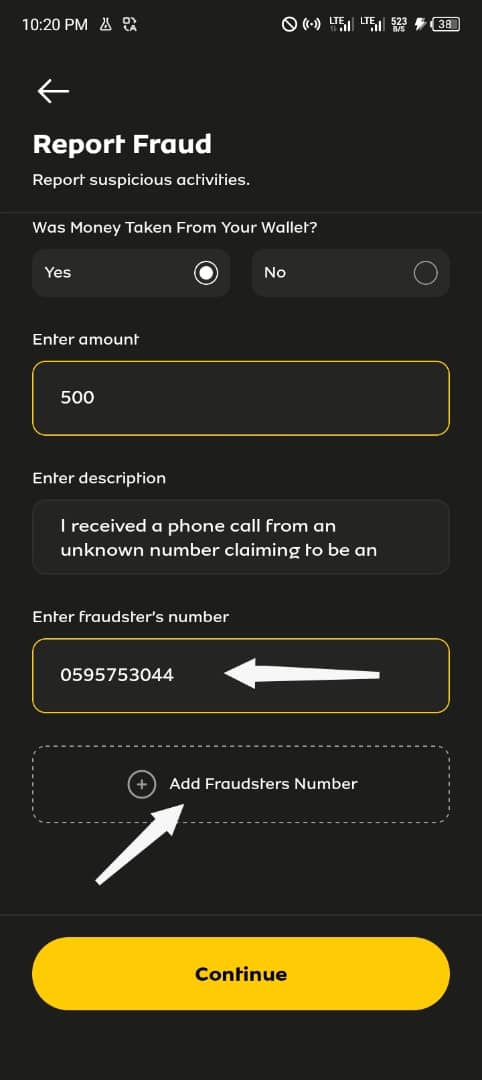
9. Enter the Fraudster’s Phone Number
Type the phone number used by the fraudster. If more than one number was involved, tap Add Fraudsters Number to include all of them.
10. Tap Continue to Review Your Report
After entering all details, tap Continue. You will not submit the report immediately.
Instead, the app will take you to a review screen showing a summary of everything you entered.
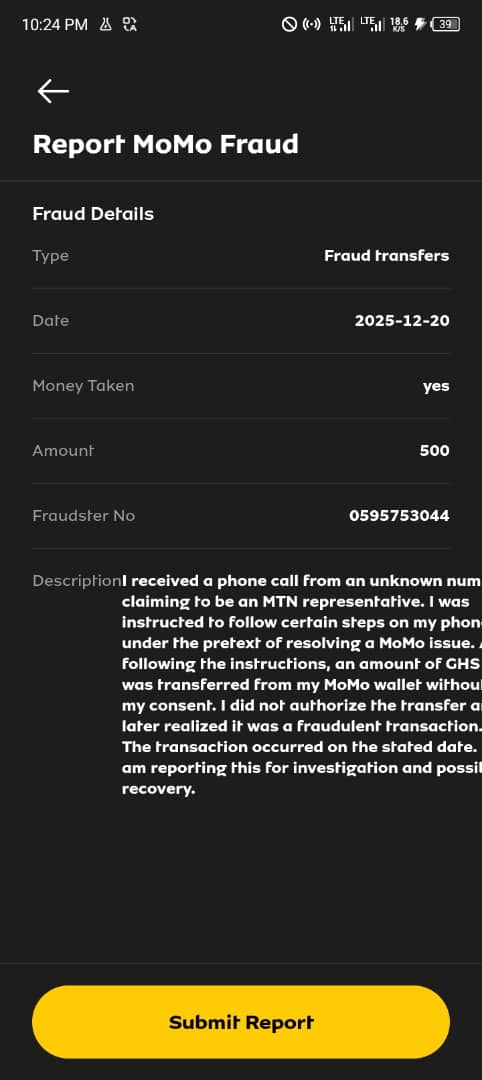
11. Confirm All Details and Submit
On the review screen, carefully check the following:
- Fraud type
- Date of incident
- Whether money was taken
- Amount entered
- Fraudster’s phone number
- Full description of what happened
This step is important. It allows you to confirm that all information is correct before submission.
If everything looks accurate, tap Submit Report to complete the process.
What Happens After You Submit the Report
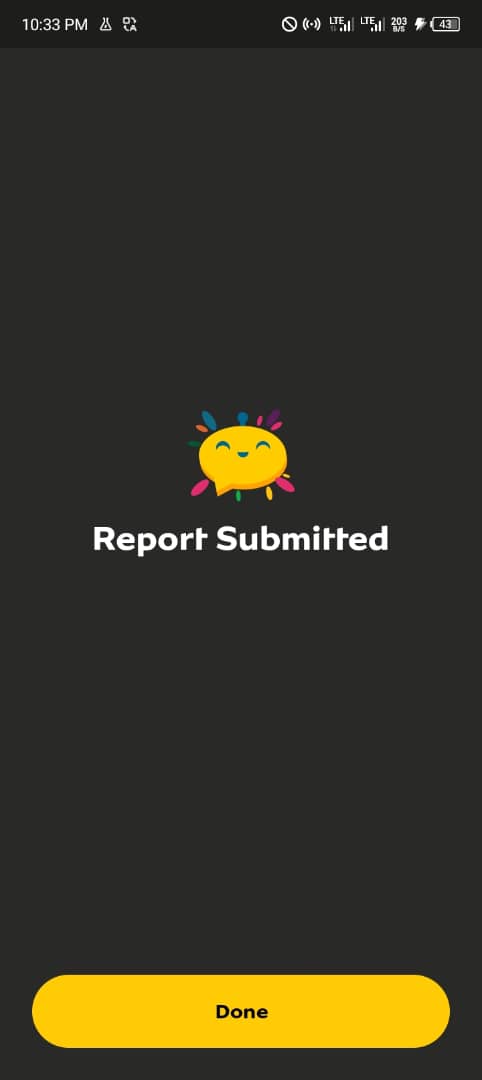
Immediately after tapping Submit Report, you will see a “Report Submitted” confirmation screen inside the app.
Within seconds, MTN also sends you a confirmation SMS acknowledging receipt of your report and assigning you a Trouble Ticket ID. This ticket number is important — it is proof that your complaint has been logged and can be used for follow‑ups.
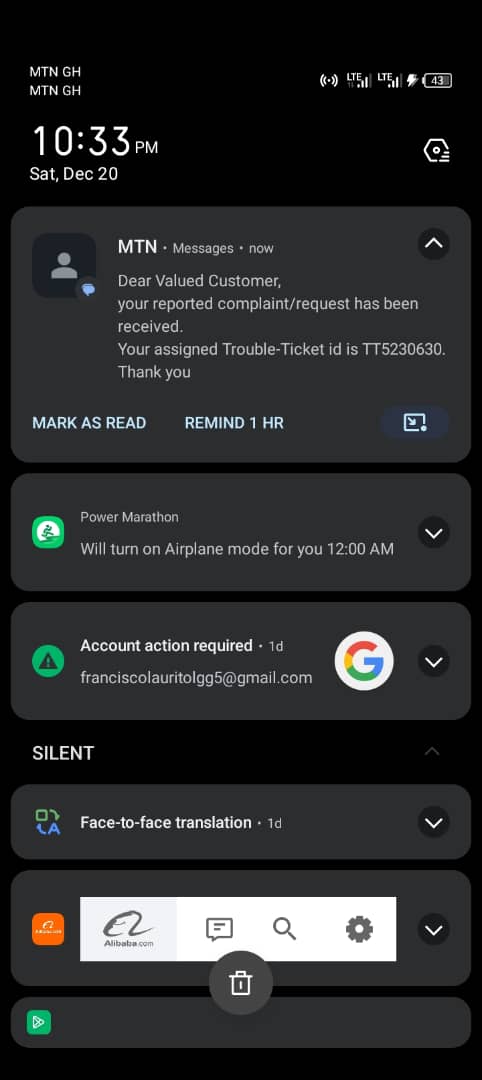
Keep this message safe. It confirms that your MoMo fraud report was successfully submitted and is now under review by MTN’s fraud team.
Alternative Ways to Report MoMo Fraud
If you cannot access the MTN app, you can also report fraud using:
- USSD: Dial *170# → # → 6. My Wallet → 4. Report Fraud
- Email: mmfraudteam.GH@mtn.com
Always provide the same details used in the app.
Important Safety Tips for MTN MoMo Users
- Never share your MoMo PIN with anyone
- MTN staff will never ask for your PIN
- Do not approve unknown MoMo prompts
- Report fraud immediately it occurs
Conclusion
MTN Ghana’s in-app fraud reporting feature gives MoMo users a direct and structured way to report scams without delay. By following the steps above and submitting accurate details, you increase the chances of a successful investigation and help protect other users.
If you use MoMo, knowing how to report fraud is no longer optional — it is essential.
Subscribe for alerts on new scams and real opportunities.
Have you been scammed?
If you have lost money or suspect a website is fake, report it to us immediately to warn others.
REPORT A SCAM NOW